
Steel Radio Bringing the World's Radio Together
I've always enjoyed listening to radio, whether it's music, sports, talk shows, or just hearing what's happening in another country. The problem was finding a website that actually made it easy. Most online radio sites feel outdated, overloaded with ads, or just aren't very nice to use.
That's what inspired me to build Steel Radio.
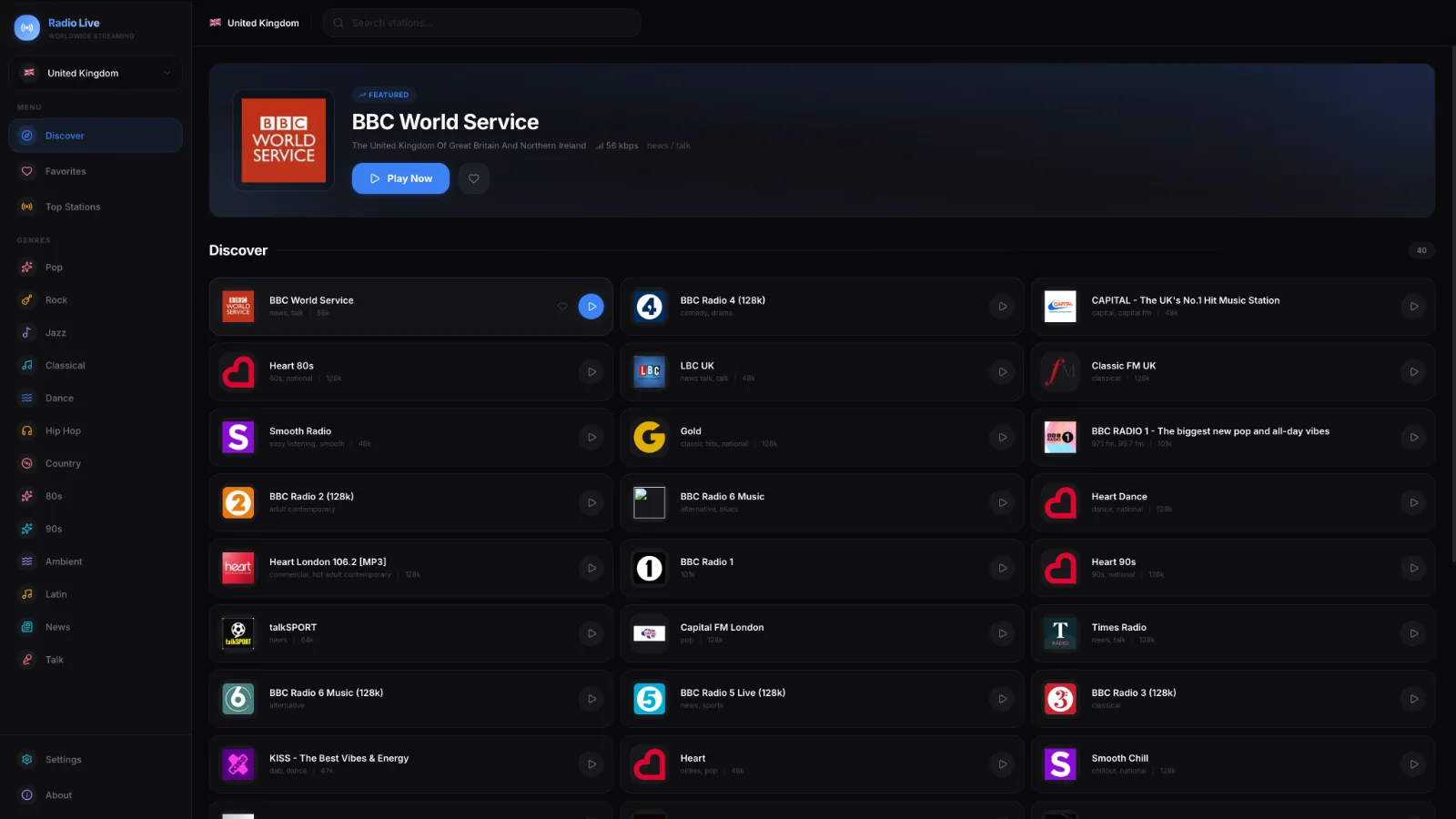
Steel Radio is a web app that lets you listen to live radio stations from over 100 countries in one place. Whether you want to listen to a local station, discover music from somewhere you've never been, or keep up with news from another part of the world, it's all just a few clicks away.
A Better Way to Listen
One of my main goals was to make the app feel modern. I didn't want users to be greeted with a wall of links or a confusing interface. Instead, I focused on creating something clean, fast, and easy to navigate.
Finding a station should be simple, and listening to it should be even simpler.
The interface is designed to work well on both desktop and mobile, so whether you're at your computer or on your phone, the experience stays consistent.
Radio from Around the World
The biggest feature of Steel Radio is the collection of stations.
There are radio stations available from 100+ countries, covering everything from pop and rock to jazz, news, sports, and local community broadcasts.
One minute you could be listening to a station in the UK, and the next you're discovering music from Brazil, Japan, Australia, or Germany. I really liked the idea of making it easy for people to explore different cultures through radio.
More Than Just a Player
As I kept working on the project, I found myself adding more and more features to improve the experience.
Some of my favourites include:
Browse radio stations by country
Search for stations instantly
Save your favourite stations
View your listening history
See what's currently playing when station metadata is available
Switch between light and dark mode
Install the app as a Progressive Web App
Create an account to personalise your experience
None of these features were added just for the sake of it—they're things I genuinely wanted when using the app myself.
Why I Used TypeScript
Steel Radio was built using TypeScript, and I'm really glad I chose it.
As the project grew, it became much easier to manage because TypeScript helped catch mistakes before they became bugs. It also made working with things like station data, user information, and API responses much more straightforward.
It definitely made the project easier to maintain as more features were added.
Still Improving
Steel Radio isn't a finished project, and I don't think it ever really will be.
I'm always thinking of new features, improving the design, adding more stations, and finding ways to make the app faster and easier to use. That's one of the best parts of working on a personal project—you can keep improving it whenever inspiration strikes.
Final Thoughts
Building Steel Radio has been one of my favourite projects so far. It gave me the chance to build something that I'd actually use myself while learning more about TypeScript and modern web development along the way.
If you're someone who enjoys discovering new music, listening to international radio, or just wants a cleaner way to stream your favourite stations, I hope Steel Radio is something you'll enjoy using as much as I enjoyed building it.